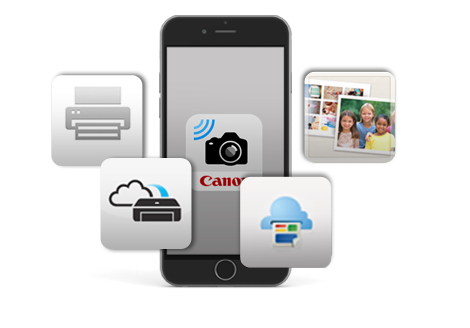
Unlike the conventional way of printing using the computer, Google Cloud Print is a brand new technology that connects your printer directly to the internet and allows you to print without installing a printer driver on your device. If you have a Google account, you can print from your web-connected devices such as smartphones.
For more information visit
here to learn more of the technology or visit
here for technical documentation.
Your printer firmware needs to be updated if the current version is older than ver. 3.0 in order to use the service. For more support details, please visit
here.
Please set up a new Google account if you do not already have an existing one. You may apply
here.
PIXMA MG8270 / MG6370 / MG6270 / MG5470 / MG4270 / MX927 / MX897 / MX727 / MX527
Android terminals (Android 2.1 or higher)
iPhone / iPod touch / iPad / iPad2 (iOS 3 or higher)
Chrome PC (Chrome OS)
Google Docs
Gmail
Apps
| • |
Photos will only be printed on a single side of the paper even when the Duplex Printing option is selected. |
| • |
An error will be occurred when a document of 100 or more pages is printed at a time. |
| • |
Google Cloud Print service will be temporary unavailable during server maintenance. We apologize for any inconvenience caused. |
Print data will be sent from the Google Cloud Print server to Canon's print server. The data will be converted to Google Cloud Print format and then sent to your printer.
All print data will be deleted from the print server once printing is completed. If, due to any reason, the print job is not successful, the data will be deleted from the print server 24 hours from the time the print job request was sent.
PIXMA MG8270 / MG6370 / MG6270 / MG5470 / MG5370 / MG4270 / MG4170 / MG3170 / MX927 / MX897 / MX727 / MX527 / MX517 / MX457 / MX437 / PRO-100 /
PRO-10
iOS devices
iOS 4.2 or above
A4 or LTR sized plain paper, or 4 x 6" Canon Photo Paper Plus Glossy II PP-201
*Applicable size and type of media is fixed by each application (and not user-selectable).
Examples of combination of application and the fixed print media:
Safari: A4 or LTR sized plain paper (Note: The size differs among countries.)
Photos (as the photo application on iOS series): 4 x 6" photo paper
To support Apple AirPrint™, the version of the printer firmware must be ver. 2.0 or later.
For users: if the firmware version is less than 2.0, downloading of the latest version is required.
For more support details, please visit
here.
The Canon Easy-PhotoPrint for Mobile Devices enables wireless photo printing from your iPhone / iPod touch / iPad or supported Android™ mobile devices to a compatible Canon PIXMA printer via wireless network with a few simple taps. It is an ideal solution for consumers looking to print and share their photos. Users can choose to print their photos from a wide selection of six paper types from plain to glossy photo paper; in four paper sizes from 4 x 6" (4R) to A4.
The Canon Easy-PhotoPrint for iPhone is free and available at the App Store on iPhone and iPod touch / iPad or via the iTunes application. The Canon Easy-PhotoPrint for Android™ mobile devices can be downloaded free from the Android Market™.
PIXMA MG8270 / MG8170 / MG6370 / MG6270 / MG6170 / MG5470 / MG5370 / MG5270 / MG4270 / MG4170 / MG3170 / MX927 / MX897 / MX886 / MX876 / MX727 / MX527 / MX517 / MX457 / MX437 / MX426 / MX416 / MX357 / MX347 / MP996 / MP648 / MP568 / MP497 / PRO-100 / PRO-10
iOS devices
iPhone OS 4.3 or later
Android™ mobile devices with OS 1.6 or later
Windows RT
Note:
Wireless LAN connection is required when using Canon Easy-PhotoPrint.
Canon Easy-PhotoPrint may not work properly in some Android devices even when all the above requirements are met.
Canon has once again taken quality and ease to a whole new level with the PIXMA line of Wireless All-In-One Printers. These stylish printers, with built-in Wi-Fi capabilities, provide users with a myriad of options to accommodate printing needs. With the ability to print, copy and scan, and now, with the Canon Easy-PhotoPrint for Mobile Devices, users can be confident that all printing tasks, can be accomplished quickly and easily with superior quality.